
Merging Two AVI Files into One File on a Mac
This is one successful way that I’ve found to merge 2 AVI files into 1 AVI file using a Mac.
Get D-Vision 3 Software (Free)
Download the D-Vision 3 software from this site:
http://www.objectifmac.com/english/downloads.php
Download the program and install. Then launch the program.
D-Vision 3 - Tools
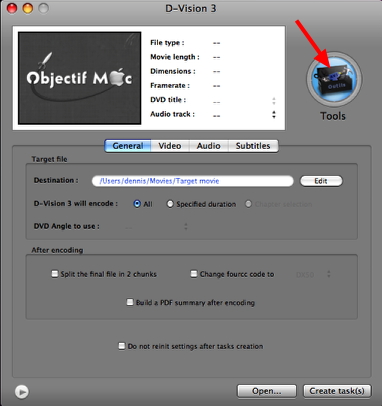
Once the program launches, click on the “Tools” button on the right hand side of the window.
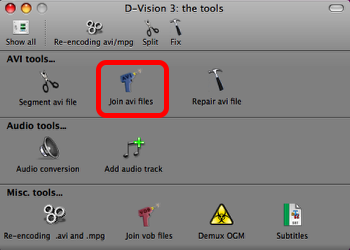
On the “Tools” screen, select “Join AVI Files”.
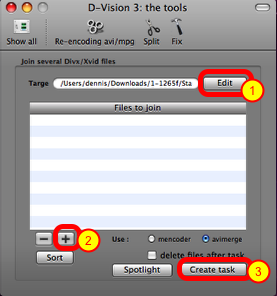
First select the target name and location for the target AVI file (1). Then select the plus (+) sign to add the files in order that you want to join (2). Finally click on the “Create Task” button to make the task (3).
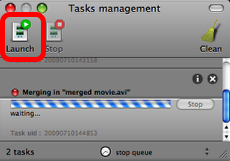
A new window called “Task Management” will appear. It is not doing anything yet and for the task to be started, you will have to click on the “Launch” button. Once you click on the Launch button, the merging of the files will begin. It is pretty quick, as the 2 AVI files that I had were both around 500-600MB in size took about 3-5 minutes to merge into a single file.
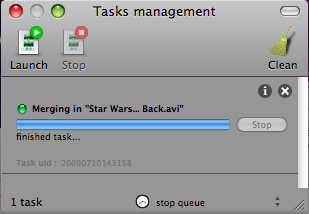
Once the task is finished, you are done and your newly created AVI file will be at the target location you specified.